
What is SSL and the Heartbleed bug?
SSL is the abbreviation for Secure Socket Layers. SSL is a security function used on websites to encrypt sensitive information. Encryption is a way of scrambling a set of numbers and letters with a unique "key" that prevents them from being read by anyone without the key. Encryption of data prevents eavesdropping and tampering of the data, which is necessary for many functions on the Internet.
Who uses SSL?
SSL is used by about 2/3 of all websites to encrypt credit card numbers, passwords, usernames, and other information. Other types of information such as email, electronic faxes, instant messaging, attachments, and voicemail are sent and received over the Internet in addition to communications with websites, and it's possible for these types of communications to be encrypted using SSL in order to prevent tampering.
What does SSL include?
While SSL stands for Secure Socket Layers, the SSL software used today also includes an additional security function called TLS, which stands for Transport Layer Security. When people use the term "SSL" today, they mean the SSL software that includes both SSL and TLS. SSL and TLS are combined in the software. SSL, with the TLS security features, have made secure transactions a daily part of using the Internet. SSL is available for most versions of computers that run websites, and it's up to the website owner to provide SSL security as part of their website, not a computer user.
How do you know SSL is being used?
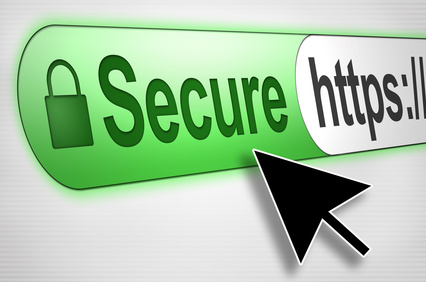
SSL us used by about 2/3 of the world's websites. You can tell it's being used when you visit a website and the "http" at the top of the address of the website changes to "https." The addition of the s indicates that you are viewing and using an SSL equipped website. You may also see a small lock icon

In fact, you may wonder why physicians, hospitals, and other healthcare organizations don't use email to communicate with you regarding medical information. It's because email is usually unencrypted. In order to preserve patient confidentiality and privacy, medical information should only be sent using an encrypted email, or more often, the message is posted on a website requiring a username and password.
Why is it used?
SSL is used to protect sensitive and confidential information when it's sent from your computer, tablet, or smartphone, to a website. The SSL function takes the numbers and letters you enter and before sending them over the Internet, scrambles them with a unique one-time-use encryption key. Locking the data from being read by anyone else. The only other location that knows the key to unlocking the data and unscramble it is the website that is receiving the data. When a website receives the data over the Internet, it unscrambles the information and then uses it to charge your credit card or log you in.
The Heartbleed Bug

On April 7th, 2014 it was announced that versions of SSL using the open-source SSL license (about 2/3 of all websites in the world) had a security flaw that was exploited by the Heartbleed bug. The bug was called Heartbleed because there is a part of the SSL security software that is referred to as the TLS Heartbeat Extension. A heartbeat on computer software is kind of like a human heartbeat, which is where the name originated. So why do computers need heartbeats?
Heartbeats on computers are used to communicate with each other. A regular heartbeat signal sent from one computer and received by another lets the computers know they are each "OK." If the heartbeat isn't received by a computer that's expecting it, the other computer assumes the first one has "failed," and initiates steps to complete the operation.
Clearly there were some sophisticated people who worked on this bug, and the payoff, since SSL is used for credit cards, usernames, and passwords, is a big one. By using the SSL information on the website, Heartbleed can hijack a website's information such as usernames, passwords, and credit card information.
Wait, is there any additional security besides SSL?
Yes, and that's the good news. Many websites that collect private and confidential information use additional layers of security to protect your information. These additional layers do not use the OpenSSL software that is compromised and are still protected. In addition, many websites do not use the OpenSSL software that was affected and have not been compromised. My website, www.bobology.com, uses a different version of SSL and is not affected by the Heartbleed bug.
What should you do?
Here's a really easy way to check if a website you use is vulnerable. First, does the website address include an "S" after the http, so it reads "https" in the beginning? Only websites using https in their address might be vulnerable.
Second, I use a password storage locker tool from LastPass which stores all of my website passwords in a highly secure site. LastPass has provided a website where you can enter the address of the website in question, and they will tell you if it was affected by the Heartbleed bug.
You can visit it at www.lastpass.com/heartbleed/
By the way, I recommend you consider using a password locker like LastPass. By using one highly secure password, LastPass allows you to use a different password for all of your websites and will log you in automatically. Another password locker one that's highly regarded is 1 Password.
So if you use the same password on any website now, you're website security is at risk even without the Heartbleed bug. These password locker tools will store and even create custom passwords, they work in all web browsers, and they have mobile apps. There are free versions, but the paid versions are less than $10 a year.