
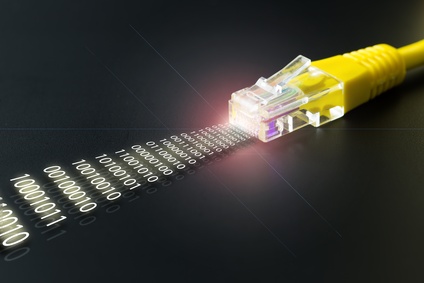
What is Ethernet?
Ethernet is the most widely used technology for wired (as opposed to wireless) network connections and is an industry-standard managed by the International Electronics and Engineering Association (IEEE). Wireless technologies such as WiFi or Bluetooth have their specifications and standards. While a network may have a combination of wired and wireless connections (such as a wired computer and a wireless laptop), the wired part of the network refers to Ethernet.
Invention of Ethernet
Ethernet was developed by Bob Metcalfe at Xerox PARC in the mid-1970s and made an IEEE (802.3) standard in 1983. Ethernet technology eventually replaced the use of many vendor-specific networking protocols by the mid-1980s because it used less expensive twisted-pair cable wiring and was an industry, rather than a company standard.
Ethernet technology is more than just a cabling specification. Any technology such as a wire, connector, computer, or network device that uses the term “Ethernet” must meet and comply with the specifications for Ethernet technology. Having an industry-standard gives any product maker the ability to design their products using the standard and provides consumers and businesses with product choices.
What Ethernet includes
The Ethernet standard of 802.3 is now part of a larger set of standards that cover both wired and wireless network technologies referred to by the IEEE as the 802 standards. The original Ethernet specifications for networks described specifications for what is called “layers.” Each layer described the technical specifications for a particular part of how Ethernet and network communications between two connected devices would work.
The concept of layers for Ethernet works a little like a house. At the bottom you have a foundation, then a frame, walls, a roof, and other hardware such as plumbing and wiring. The furnishings can change depending on who moves in and what the occupants bring with them.
Ethernet includes a number of layers, but to keep it simple I'll describe the two most important ones, the physical and data link layers. The physical layer is the actual physical cable, connector, or adapter that is used to carry information across wires that meet the Ethernet standard. When you plug an Ethernet cable from your computer into your home-based router, you're using the physical layer of the Ethernet specification. The cable and connectors, along with the network circuits of the devices are physical components and by using the Ethernet 802.3 standard, they all work with each other.
The other important layer is the data link layer, and this is the layer you don't see. The data link layer is the part of the specification that describes how the bits of data are “packaged” in order to send them from one device to another. The data link layer makes sure our email messages are sent and received, and pictures from websites appear on our screens. All of the information consists of digital data (zeros and ones) and the link part of the data link layer makes sure sending and receiving information (email, pictures, etc.) from one Ethernet-connected device arrives accurately and safely.
Sending data from one device to another is something we take for granted since it happens so easily but in the 1970s connecting multiple computers together on a network was a challenge. Imagine when only a few hundred people owned automobiles. There simply wasn't a need for traffic signs or rules of the road. Put a few million cars on the road and the rules become very important. As computer users wanted to connect more computers to each other, rules were needed to make sure data didn't collide or get lost and the Ethernet specification is a set of rules for how a piece of data travels over the network.
Collisions and errors
Two important parts of the Ethernet specification describe how a physical device like a computer or router is detected by the network and what happens with lost or damaged data and what happens when data collide over the network.
To solve the need to send lots of data, Ethernet carries multiple bits of data in a larger package called a “frame.” A whole piece of information like an email or picture uses many individual frames, so Ethernet describes how the data (like the picture or email) is broken down into frames. So if the data is broken into pieces like frames, you might be asking how the frames get reassembled on the receiving end so we can read the email or see the picture?
Each frame contains a special piece of information about the previous and next frame in the sequence for the whole package of data, like the email or picture. Each piece of network hardware on the network can verify that each piece of data is correct on the network and see if any frame is missing in the whole sequence. If one is, or if a frame is damaged or incomplete, the hardware can ask the source for any missing or incomplete frames.
Other things Ethernet describes
Each Ethernet network has a layout called a topology - a set of rules for what devices physically connect to what parts of the network. For very small networks, like typical home uses, that topology looks like a hub and spokes. The central hub is a router, and each computer connected to the router has to have a network adapter installed on it. Larger networks use larger, more specialized equipment, called "hubs" and “switches.” Many times a home or small office Ethernet network is referred to as a Local Area Network while larger Ethernet networks are referred to as Metropolitan Area Networks.
Ethernet also comes in different speeds described in the 802.3 specifications. The hardware, cabling, and adapters are all rated to operate at specific network speeds. The most common types used in home and small business networks are Category 5 and Category 3 cables, connectors, and adapters. The cables and connectors have speed ratings, such as a Category 5 (Cat5) which can operate at 100 Megabits per second. However, the physical components, the cable, connectors, and computer adapter ports all need to be Cat5 in order for the maximum speed to be available. If you use a component with a slower speed rating, your whole network is slower.
As new technology is introduced, Gigabit speeds have become available on Ethernet, which can transfer a full-length movie over a network in less than a second. You might have a computer with a Gigabit Ethernet connector but if your wiring or router only operates at 10 Megabits per second, you'll only be able to send and receive 10 Megabits per second over the network connection.
Cable length is also part of the specification. The Category 3 and Category 5 cables are limited to a maximum of 100 meters while other cable types have longer distance ratings. It's possible to create longer distance networks using a network device such as a router or hub to extend the network.
To my way of thinking
Since it was invented, Ethernet has gone through many improvements and will continue to improve as new technologies emerge, changing the standard along with it to accommodate new and improved technologies.
But it's worth knowing that the technology is being managed by the IEEE and as a result of being an industry standard, allows consumers and businesses to make network cable connections easily and quickly using components from many different manufacturers.
Not a subscriber? Don't miss a single issue: