
What are Google Alerts?
Using Google search in your Web browser to find new and useful information is convenient, but it requires that you conduct a search every time you're interested in a subject or term. Google Alerts uses the same power of Google Search to find websites about a topic on the Internet but sends you an email whenever the word or phrase appears on a Web page. It's like an automated search on Google.
Creating an alert
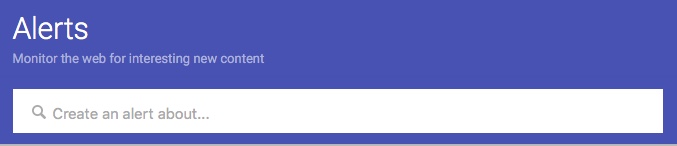
Creating a Google Alert is very easy, and you don't need to know anything special about how Google searches, just the words you're looking for on the Web. Here's how to create one:
- Go to the website for Google alerts - https://www.google.com/alerts
- In the box called “Create an alert about” enter the words, you want to monitor. A list of websites appears next so you can preview the results and refine the topic if necessary.
- Click on Show Options to set up the frequency of the emails you receive for that alert, the types of results you want, and other options such as the sources, language, geographic region, and only the best results (filtered by Google) or all results
- Then click on Create Alert
Emails will arrive in your inbox with links and snippets of websites that include your alert topic.
Google account and non-Google account
When you visit Google alerts, you may be asked to signing with your Google account or set up a Google account. The account is free, but it's still possible to use Google alerts without a Google account. If you choose the latter method and don't use a Google account, you'll need open a confirmation email that's sent to you and click the link in the email to complete the verification.
Alert suggestions
When you visit the Google alerts web page to set up your alert, you'll see a list of alert suggestions about topics. Some of these are suggestions based on popular topics for Google alerts, and some are suggestions based on your personal search history. Favorite topics may include companies, automobiles, fashion finance, and sports. Some of these are listed because they are popular Google alert topics used by others. But some of the suggestions are tailored to you.
For Google account users, Google uses tracking to learn what you search for when using Google search and will make suggestions in Google alerts based on your search history. One you enter a topic in the box ‘Create and alert about..” the suggestions page is replaced by the preview page.
Improving alert results
Similar to using modifiers for Google search terms, you can also use modifiers to narrow your results. Some common ways to limit results are to use quotation marks to set the alert to a phrase or set of words in a particular order. For example, an alert for online dating might produce results for online and for dating, but putting the topic in quotations like this: “online dating” will limit the results to websites that refer to the phrase online dating. You can do this with any group of words.
Another common way to narrow your results is to use a minus sign in front of a word. For example, when using an alert for a city name such as Glendale, using a minus sign in front of Arizona (Glendale -Arizona) will prevent results for Glendale, Arizona from appearing. For more advanced users, all of the Google search operators for limiting searches that work in Google search will also work in a Google alert.
To my way of thinking
The Web has a lot of information available if you know how and where to find it. If there's a topic or an area of interest and you want to receive an email message when Google finds the topic or term on the Internet, a Google alert is an automated way to keep up-to-date.
Don't miss the newsletter, subscribe by email: