
Is it Time to Consider a Chromebook?
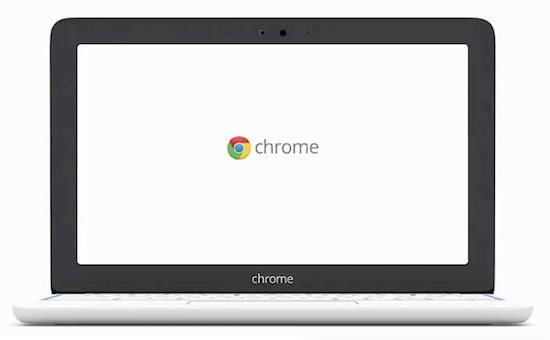
A Chromebook is a personal computer that uses Google's operating system, known as Chrome OS. It's available pre-installed on laptop computers from many manufacturers including Asus, Samsung, HP and others. It's an alternative to the traditional Windows laptop, and one of the main benefits is that the operating system, Chrome OS, uses all of the applications available from Google and third-parties.
Chromebooks are also inexpensive. With prices starting at $199 for a new Acer Chromebook, Chromebooks are economical alternatives to traditional laptop computers running Windows software.
Web-based software on a computer.
Chromebooks are designed to use web-based apps and programs, which means two things; one, a Chromebook requires an Internet connection to realize its full potential, and two, a Chromebook updates the operating system and software through the web. While it might seem as though this might be a limitation, your data (documents, spreadsheets, presentations, and files can be stored both online and locally. The advantage of a Chromebook is that it automatically updates its software, much like a mobile smartphone or tablet.
How are Chromebooks selling?
For most of the people who take my classes, I don't recommend taking a chance on new technology. People want to buy technology that's supported and has options available on the marketplace. So is the Chromebook a dead-end product or something that's a new option to Windows and Mac's?
Launched in June 2011 to great fanfare, the Chromebook quickly landed itself on many best-of lists and tops Amazon's bestseller lists. Chromebooks are mainly available as laptops, so let's see how they are selling. According to NPD, a company that watches market share of computers, Windows laptops made up 75 percent of sales, Chromebooks were 21 percent, and Mac laptops were just under 2 percent. Since Windows makes up 90 percent of all computers, you'd expect them to be the largest seller, and since Mac laptops are among the most expensive, their sales have always been a smaller share due to the price.
The school and education market is showing something interesting also. Schools tend to buy both laptops and tablets, so let's look at those numbers. In 2012, Chromebooks had a market share of just 1% (that's the first full year they were available for sale) but in 2013 Chromebooks accounted for 19% of all laptop and tablet sales. Windows laptop sales dropped almost in half from 47.5% in 2012 to 28% in 2013. Schools clearly have found out something about the usefulness of Chromebooks.
Overall, with Chromebook sales increasing steadily and with more companies including Toshiba, Lenovo, and Dell announcing Chromebook products, there's a commitment to this product. But is it for you?
What Chromebooks are like to use.
If you're searching to transition from another laptop, the Chromebook runs very intuitively. Based on the Chrome web browser, a Chromebook's programs are designed to look and operate similarly as they do on Windows and Macs. All you really need to get started is a Google account. Google is dedicated to improving the Chrome user experience, ensuring that their machines run up-to-date and won't interrupt your browsing with constant requests to upgrade. Chromebooks are also noted for how fast they startup and how much faster they run compared to traditional laptops because Chromebooks use an efficient operating system with excess programs removed.
The Software
Most computer users spend almost all of their time doing two things, using websites and email. Think about your computer use, you use websites for finding directions, banking, shopping, social networking, and maybe even watching a video. If you have one, your mobile device, such as a smartphone or tablet, can also do all of these things. So if you take a look at the time you spend on a computer, it might not be as much as it was before mobile devices entered your life. Even if you do use a computer, the web and email are what you probably the functions you use day in and day out.
But what about word processing and spreadsheets? Chromebooks have you covered here, and include Google's word-processing, spreadsheet, and presentation applications, all of which can import and export from Microsoft Office application files. These productivity applications, in addition to email, are designed for you to use with or without an Internet connection so you stay productive. All of the software from Google is updated automatically, without requiring you to purchase updates for new versions.
In addition to Google's applications, third-party software applications that work with the Chrome browser can be used on Chromebooks.
Using Chromebooks with Android mobile devices
Another convenient feature is the connection from Chromebooks to Android mobile devices. Since Google makes both, it only seems natural for Google to provide some benefit and integration, and they do. One example is the ability to access your Google Drive from your Android device, another is the ability to edit photos taken with an Android phone on your Chromebook. Using your Google account, your photos will sync automatically. So if you're an Android user, a Chromebook can help you get more out of your mobile smartphone or tablet.
The hardware.
A typical Chromebook looks a lot like a traditional laptop, with a keyboard, screen, trackpad, built-in WiFi, and a small amount of local storage. The local storage capacity of Chromebooks is smaller than a traditional laptop computer since most of your work is stored in the cloud on Google Drive, which provides 100 Gigabytes of space for two years as part of your purchase. You simply don't need to store everything locally on your Chromebook (nor do you on a laptop, but that's how we've been working for a long time.) New models are now available that are for use as a desktop computer, with you supplying the monitor, keyboard, and mouse.
When is a Chromebook not for you?
Chromebooks are an excellent addition to any household and are probably one of the most trouble-free computers on the market. However, it may not be for everyone. If you require the use of an application that is only available for Windows or Mac, then you need to buy that type of computer to use those applications, since Chromebooks only run programs designed for Chrome OS.
If you don't have access to the Internet and need to work "offline" frequently, then a Chromebook may not be a good solution either, since Chromebooks need to access the Internet in order to update the software and access your Google Drive storage.
Should you change your computing?
Professionals in the computer industry usually take a look at what someone needs to do with a computer, then recommend the computer based on a person's needs. When the only choice was a Windows computer, the recommendation was pretty simple. With Chromebooks, there are new choices, and Apple has the Mac. Since more is being done on the web and "cloud," you may not need or use a software application that requires a Windows operating system on a computer. If so, then consider a Chromebook as an alternative to a computer, or even to a tablet. If you're considering a Mac as an alternative to a Windows computer, here's some advice on when to consider Apple.
Apple includes productivity software (word processing, spreadsheet, and presentation) for free, along with free operating system upgrades, and while they are a premium-priced product, Apple support is regarded as the best in the industry with their network of stores and support plans, and Apple makes software applications that only work on Apple computers. The premium price also gives you a single place to go for support and help, and maybe that's what you need.
Is it for you?
Chromebooks started out as economical models, and new models are available with more storage, processing power, and features as more users start using Chromebooks. If your needs are limited to using the web, your email, and to write a letter or two, you might find a Chromebook an attractive and inexpensive alternative to a "traditional" computer. The initial cost is lower, and your software will update automatically.
Not a subscriber? Don't miss a single issue: