
Facebook Offers for Pages
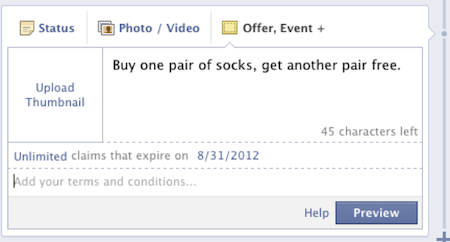
Facebook offers are available to selected Pages. If available, the sharing tool includes Offers in the top row in addition to the Events, Milestones post category. Offers are currently free for Page administrators to create and use.
Offers, like other status updates, appear in the NewsFeeds of a Page's fans and on the Page's Timeline. Offers should have a clear headline that explains the offer at a glance and is attention getting. For more help in creating effective headlines, consider the software Headline Creator Pro available for download at the store on bobology.com.
Be sure to include a photo of the product or item in the offer as photos attract the viewer. Set up the number of offers than can be claimed, up to an unlimited number, and set an expiration date for the offer. Add any terms and conditions for your offer, then preview the offer to view the offer as it will appear to users. Photos need to be 90x90 pixels, headline text is a maximum of 90 characters, and terms and conditions text is limited to 900 characters.
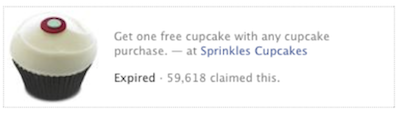
When using offers, create offers that your fans would be likely to share with their friends to increase the reach of the offer. Also, be sure to educate and inform your staff about the offer and how to redeem it for customers so your offer customers don't have to explain anything to your staff.