
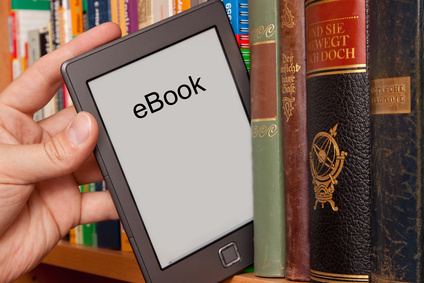
How To Use eBooks, Kindles, Nooks, and iPads
In May 2011, Amazon.com announced its digital book sales had overtaken its printed book sales. Since the launch of the first Kindle in 2007, digital books, or ebooks, have come seemingly from nowhere to become a pillar of their industry, and are growing more popular still.
An ebook is simply an electronic book. It can be read on and downloaded to any desktop computer, laptop, tablet or major type of smart phone (iPhone, Android, Blackberry, etc.). Though specific apps or programs are needed to read the book, these are either provided by the seller or are already on your device.
ereader devices
An ereader is a device specifically designed to read ebooks. eReaders are typically associated with a specific seller – for example, the Barnes and Noble Nook or Amazon Kindle. Though they can probably hold your entire library with that seller, they cannot ever be used to read whatever books you have with another seller. In other words, you cannot use your Barnes and Noble Nook to read your Amazon Kindle library.
eReaders are designed to feel more pleasant to read than most other devices, which might have small screens, weigh too much or simply aren't mobile. As very specialized devices, ereaders are usually a little less expensive than smart phones or tablets, but are still able to hold all but the largest digital libraries.
The major ebook sellers are Amazon.com's Kindle Store, Apple's iBook Store, and Barnes and Noble's Nook Store. Though there are others, either major businesses or small publisher websites, these three have been the most successful and have become the industry's trendsetters. If you decide to start building an ebook library, it will probably be through one of these three.
Starting Your eBook Library
Joining in and starting up an ebook library of your own is a simple, if potentially long, process. Most people probably already have what they need to get started quickly, though, and can start reading an ebook in only a few minutes.
To start, you'll need a device that has a connection to the Internet and can read ebooks. The device can be a desktop computer, tablet, dedicated ereader (such as a Kindle or Nook), or smart phone (such as an Android or iPhone). The pros and cons of using one device over another is a bit beyond this overview, but if you already have a working device that fits the criteria, there's no harm in starting from there.
Next, you'll need an account with an ebook seller. Setting up an account with a seller should be a familiar process of filling out a few short forms online. However, if you've ever purchased something from Amazon.com or iTunes, you already have an account with one of the major ebook sellers.
So you have a device that can read ebooks and an account with an ebook seller. If you have a seller's dedicated eReader, such as a Kindle for Amazon or Nook for Barnes and Noble, your device is already associated with its respective seller. All you need to do is log in to your account from the device and you'll be able to access any books you've purchased.
Using eReader Apps on Tablets and Smartphones
If you're using another type of device, you'll need to download a seller's app, which will be named after the seller's store (Kindle, iBooks, Nook, etc.). Most sellers offer their apps for free and they can be found in the App Store, Android Market or can be downloaded directly from the seller's website.
Once the app is downloaded, you have to log in to your account from within the app. Doing so automatically associates the device with your account, like finding the right key (the app) for a lockbox (your account).With your device, account and app set up, all you need is an ebook. The major sellers allow you to purchase either through their apps or on their websites. Purchasing an ebook is usually just like buying something else online, the only difference being that the major sellers like to have “one-click” style fast purchasing options. This means that if the seller knows your account and means of payment, you won't have to go through the full process of choosing every purchase option.
What You Own and Don't Own
Once a book is purchased, it is associated with that account, meaning it can be freely downloaded to as many devices as the seller allows. Downloading to a new device requires repeating some of the process: you download the app onto that device, log in through the app, and can then access your account. If setting up your first device is like making a key for your lockbox, setting up your second device is like making a second key
Note that an ebook cannot be transferred directly between devices, but if you can access the Internet on a new device then transferring isn't really necessary. Your second device is a second key to your lockbox, and you can access that lockbox just as easily as you can with your original key. However, device limits may become an issue. A device limit means you can have an ebook on only so many devices at once, which most seller keep around three to five devices. To be clear, a device limit is not a download limit. Reaching the device limit doesn't mean you have to buy a new copy of the book; instead, you can delete or remove the book from one device, which will then allow it to be downloaded to another. In this way, the book is forever associated with your account, not your devices.
Loaning eBooks
Finally, ebooks can be loaned out, but there are some significant limitations. Books associated with a seller's account can usually only be loaned to other accounts with that seller, so for example you cannot loan a Kindle book to an iBook account, but you can loan it to another amazon account. Sellers usually only allow you to loan a book for a few weeks, and during that time you won't be able to access it yourself. Moreover, only some books can be loaned, depending on the seller. It's usually easier to just loan your device.
Despite the lending limitations, ebooks are simple to set up and allow you to carry an entire library in the palm of your hand. Dedicated readers may still prefer the feel of a physical book, but procrastinators can at least keep their libraries a little less intimidating.